sMobile ? "width=device-width,initial-scale=1.0,minimum-scale=1.0,maximum-scale=1.0" : "width=1100"' name='viewport'/> android xda: ClockworkMod
Showing posts with label ClockworkMod. Show all posts

Friday, 29 November 2013

How to Install ClockworkMod Recovery on Rooted Nexus 5!

Check Out The Video Below!
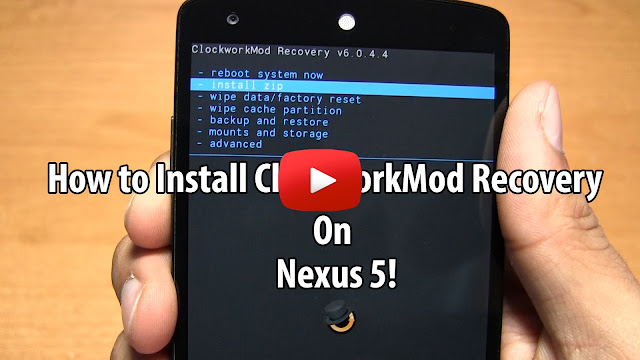
This guide will show you how to install ClockworkMod Recovery on your rooted Nexus 5. 

This guide is especially useful for anyone who used Chainfire's CF-Auto Root to root their device, but want to install a custom recovery, anyone who has TWRP installed, but prefer using ClockworkMod Recovery instead, or want to update the current version of ClockworkMod Recovery to the latest version.

Follow the step-by-step guide below to install the latest version of ClockworkMod Recovery on the Nexus 5 without a computer!


Note: Your Nexus 5 must be rooted, if your not use this root guide.

1. Download and open ROM Manager app from the Play Store. 

2. Select "Recovery Setup" at the top of the app. 


3. Under "Install or Update Recovery" choose "ClockworkMod Recovery".


4. ROM Manager will now automatically detect your device and show "Google Nexus 5". Select "Google Nexus 5".


5. Now select "Flash ClockworkMod Recovery". 


6. ClockworkMod Recovery will now be downloaded and once complete it will ask you for Superuser Request. Grant it. 


7. It will now install ClockworkMod Recovery and your done! You can go back to the main page and choose "Reboot into Recovery" to enter the Nexus 5 into ClockworkMod Recovery mode.

Credits - ClockworkMod
-----------------------------------------------------------------------------------------------------------------------------
Need Help With Your Android Device? Follow Me / Add Me / Like Me 
Twitter 
Facebook 
Google Plus
-----------------------------------------------------------------------------------------------------------------------------
Check Out Our YouTube Channel For More Great Guides! 
YouTube and Subscribe
-----------------------------------------------------------------------------------------------------------------------------
Nexus 5 FAQ 
How to Root Nexus 5! 
How to Unroot Nexus 5!
Please Check Out The Nexus 5 FAQ Section Before Commenting!
-----------------------------------------------------------------------------------------------------------------------------

Monday, 18 November 2013

Nexus 4 One Click Toolkit for Mac!

Getting problems with these toolkits? Try the manual methods! Root, ClockworkMod Recovery, and Unroot/Restore to Stock!

Here are some Mac toolkits for all you Mac users. These toolkits will allow you to root, install ClockworkMod Recovery, unroot, unlock bootloader, and lock bootloader. All with a simple click of a button for your Nexus 4!
How Do I Use These Toolkit?
1. Download the toolkit of your choice using the links below.
2. Unzip the file and click on click on the green Android icon. 
3. Enter your phone into bootloader mode: 
First power off your phone and make sure it's unplugged then,press the volume up, volume down, and power button all at the same time. When your phone vibrates let go of the power button, but keep holding onto the volume up and down button. You will now see a green start screen. 
4. Follow directions on the screen. 

Download One-Click Mac Toolkits using the links below:
Updated One-Click Root Toolkit
One-Click Unroot/Restore to 4.4 Kit Kat Stock Toolkit
One-Click ClockworkMod Recovery Toolkit
One-Click Unlock Bootloader Toolkit
One-Click Lock Bootloader Toolkit


Older Toolkits:
One-Click Unroot/Restore to 4.3 Stock Toolkit
One-Click Unroot/Restore to 4.2.2 Stock Toolkit
One-Click Unroot/Restore to 4.2.1 Stock Toolkit

Change Log:
December 12th 2012:
Initial Release
April 27th 2013:
Updated ALL toolkits with the latest version of fastboot and ADB
Added Unroot/Stock 4.2.2 for Nexus 4
July 28th 2013:
Fixed SuperSU transfer in the One-Click Root toolkit
Updated One-Click Root toolkit for Nexus 4 to support 4.3
Added One-click Unroot/Restore to 4.3 toolkit for Nexus 4

November 18th 2013:
Added Unroot/Restore to 4.4 Kit Kat Stock Toolkit
November 21st 2013:
Removed ADB push from root toolkit - caused too many problems
Updated Unroot/Restore to 4.4 Kit Kat Stock Toolkit to KRT16S
Updated Root Toolkit to support Android Kit Kat
Updated ClockworkMod Recovery Toolkit to support Android Kit Kat

FAQ:
Q: When I launch the toolkit it says "No such file or directory".
A: Completely close Terminal, change the name the of folder, and then relaunch the toolkit.

Q: I tried changing the file name, but it still doesn't work, what should I do?
A: You can try using it on another computer or use the manual method located at the top of the article.


Credits - XDA
-----------------------------------------------------------------------------------------------------------------------------


Need Help or add/follow me?
-----------------------------------------------------------------------------------------------------------------------------
FOR EMERGENCIES: (Bricked phone, not turning on, ect) 
-----------------------------------------------------------------------------------------------------------------------------
Don't forget check out my YouTube channel and subscribe for more great videos!
-----------------------------------------------------------------------------------------------------------------------------
Please check out the FAQ before asking questions!