sMobile ? "width=device-width,initial-scale=1.0,minimum-scale=1.0,maximum-scale=1.0" : "width=1100"' name='viewport'/> android xda: rooted
Showing posts with label rooted. Show all posts

Wednesday, 31 December 2014

Stock Android 5.0.1 Lollipop ROM for Nexus 5! [Rooted]

Check Out The Video Below!

I always get asked if you need to unroot your phone to update to the latest Android version, the simple answer is no. You don't need to unroot your phone just to update to the latest version. The easier and my reccomended way is to just flash the latest stock ROM for the Nexus 5, in this case, 5.0.1 Lollipop. 

This stock ROM is exactly the same as the official OTA update from Google with everything working just great! Not only that, but you also get to keep your custom Recovery and root (just flash SuperSU after the ROM). WiFi, data, bluetooth, camera, etc all work great! 

This is the best way to update to Android 5.0.1 Lollipop for the Nexus 5 while still staying rooted!

Download stock Android 5.0.1 Lollipop ROM for the Nexus 5 using the download links below!

Download Stock Android 5.0.1 Lollipop ROM for Nexus 5
Download SuperSU


Remember to flash SuperSU in Recovery Mode after the ROM or you will not be able to use root apps!


Credits - XDA
-----------------------------------------------------------------------------------------------------------------------------
Need Help With Your Android Device? Follow Me / Add Me / Like Me 
Twitter 
Facebook 
Google Plus
-----------------------------------------------------------------------------------------------------------------------------
Check Out Our YouTube Channel For More Great Guides! 
YouTube and Subscribe
-----------------------------------------------------------------------------------------------------------------------------
Nexus 5 FAQ 
How to Root Nexus 5! 
How to Unroot Nexus 5!
How to Install Custom ROMS on Nexus 5!
Please Check Out The Nexus 5 FAQ Section Before Commenting!
-----------------------------------------------------------------------------------------------------------------------------

Friday, 29 November 2013

How to Install TWRP on Rooted Nexus 5!

Check Out The Video Below!

This guide will show you how to install TWRP Recovery on your rooted Nexus 5. 

This guide is especially useful for anyone who used Chainfire's CF-Auto Root to root their device, but want to install a custom recovery, anyone who has ClockworkMod installed, but prefer using TWRP Recovery instead, or want to update the current version of TWRP Recovery to the latest version.

Follow the step-by-step guide below to install the latest version of TWRP Recovery on the Nexus 5 without a computer!

1. Download Recovery Tools app using the link below. 

Download Recovery Tools from the Play Store

2. Open up the app and select "Flash TWRP Recovery". 

3. It will show "Download openrecovery-XXXXXXX-hammerhead.img now?" Select "Yes, please".

4. The app will now download TWRP recovery on your rooted Nexus 5.

5. Once complete you will get a Superuser Request and it will ask you to grant access, grant it. 

6. Your done, you can now enter into TWRP Recovery mode using the Rebooter option!

Credits - TWRP
-----------------------------------------------------------------------------------------------------------------------------
Need Help With Your Android Device? Follow Me / Add Me / Like Me 
Twitter 
Facebook 
Google Plus
-----------------------------------------------------------------------------------------------------------------------------
Check Out Our YouTube Channel For More Great Guides! 
YouTube and Subscribe
-----------------------------------------------------------------------------------------------------------------------------
Nexus 5 FAQ 
How to Root Nexus 5! 
How to Unroot Nexus 5!
Please Check Out The Nexus 5 FAQ Section Before Commenting!
-----------------------------------------------------------------------------------------------------------------------------

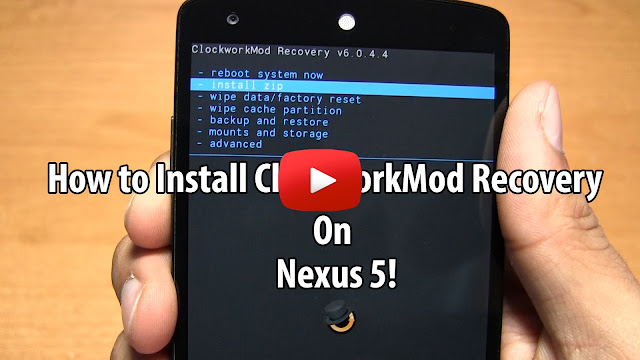
How to Install ClockworkMod Recovery on Rooted Nexus 5!

Check Out The Video Below!

This guide will show you how to install ClockworkMod Recovery on your rooted Nexus 5. 

This guide is especially useful for anyone who used Chainfire's CF-Auto Root to root their device, but want to install a custom recovery, anyone who has TWRP installed, but prefer using ClockworkMod Recovery instead, or want to update the current version of ClockworkMod Recovery to the latest version.

Follow the step-by-step guide below to install the latest version of ClockworkMod Recovery on the Nexus 5 without a computer!


Note: Your Nexus 5 must be rooted, if your not use this root guide.

1. Download and open ROM Manager app from the Play Store. 

2. Select "Recovery Setup" at the top of the app. 


3. Under "Install or Update Recovery" choose "ClockworkMod Recovery".


4. ROM Manager will now automatically detect your device and show "Google Nexus 5". Select "Google Nexus 5".


5. Now select "Flash ClockworkMod Recovery". 


6. ClockworkMod Recovery will now be downloaded and once complete it will ask you for Superuser Request. Grant it. 


7. It will now install ClockworkMod Recovery and your done! You can go back to the main page and choose "Reboot into Recovery" to enter the Nexus 5 into ClockworkMod Recovery mode.

Credits - ClockworkMod
-----------------------------------------------------------------------------------------------------------------------------
Need Help With Your Android Device? Follow Me / Add Me / Like Me 
Twitter 
Facebook 
Google Plus
-----------------------------------------------------------------------------------------------------------------------------
Check Out Our YouTube Channel For More Great Guides! 
YouTube and Subscribe
-----------------------------------------------------------------------------------------------------------------------------
Nexus 5 FAQ 
How to Root Nexus 5! 
How to Unroot Nexus 5!
Please Check Out The Nexus 5 FAQ Section Before Commenting!
-----------------------------------------------------------------------------------------------------------------------------

Tuesday, 26 November 2013

Stock Android 4.4 KitKat ROM for Nexus 4! - Rooted

Check Out The Video Below!

Stock Android 4.4 KitKat ROM for the Nexus 4 makes it easy to just simply flash this ROM using a custom recovery to get to the latest version of Android. 

If you weren't aware if your rooted you cannot get OTA updates, meaning that your stuck on the current version of Android unless you unroot and wait for the OTA update or wait for a custom ROM that you like to be updated.

Either way flashing this stock Android 4.4 ROM makes it easy for you to upgrade the Nexus 4 to Android 4.4 KitKat without any problems. Also this ROM already comes rooted! 

Download Stock Android 4.4 KitKat ROM for Nexus 4 using the link below!

Download Stock & Rooted Android 4.4 ROM for Nexus 4

Credits - XDA
-----------------------------------------------------------------------------------------------------------------------------
Need Help With Your Android Device? Follow Me / Add Me / Like Me 
Twitter 
Facebook 
Google Plus
-----------------------------------------------------------------------------------------------------------------------------
Check Out Our YouTube Channel For More Great Guides! 
YouTube and Subscribe
-----------------------------------------------------------------------------------------------------------------------------
Nexus 4 FAQ 
How to Root Nexus 4 
How to Install Custom ROMS on Nexus 4 
Please Check Out The Nexus 4 FAQ Section Before Commenting!
-----------------------------------------------------------------------------------------------------------------------------