sMobile ? "width=device-width,initial-scale=1.0,minimum-scale=1.0,maximum-scale=1.0" : "width=1100"' name='viewport'/> android xda: kitkat
Showing posts with label kitkat. Show all posts

Tuesday, 31 March 2015

Download Android 4.4.x KitKat PA Gapps! [Stock/Full/Mini/Micro/Nano/Pico]


Need to download a Gapps package for your Android 4.4.x KitKat device? This is your central place to get the perfect Gapps build! With 7 different variants of PA Gapps for you to download you're going to find the perfect one that fits your needs and just works! Have limited storage? Use Pico, Nano, or Micro. Want to have all your basic Google apps like the Gmail, YouTube, Maps, Camera? Use Full or Stock!

Just about every single custom ROM requires you to flash Gapps right after flashing the ROM. Custom ROMS like CyanogenMod, Paranoid Android, AOKP, etc all require this! Without flashing Gapps you won't have access to any Google services like the Play Store, Chrome, YouTube, and Gmail.

Simply download your choice of PA Gapps (links below), enter into custom Recovery (TWRP/CWM), flash the Gapps package just like any other zip file, reboot, and you're done! You now have Google services like the Google Play Store, Chrome, Gmail, YouTube, Maps, so many more!

Don't download from unreliable places where you could be putting your phone at risk! Use the download links below to download PA Gapps for Android 4.4.x KitKat directly from my server!

Android 4.4.x KitKat PA Gapps Variants:
  • Stock - Recommended for most users
  • Full
  • Mini
  • Mico
  • Nano - Recommended if you have an older device/limited storage
  • Pico - Recommend if you have an older device/limited storage
  • Pico(Uni)
Click below to show PA Gapps Chart!


Download PA Gapps for Android 4.4.x KitKat using the download links below!

Download Stock PA Gapps for Android 4.4.x KitKat
Download Full PA Gapps for Android 4.4.x KitKat
Download Mini PA Gapps for Android 4.4.x KitKat
Download Micro PA Gapps for Android 4.4.x KitKat
Download Nano PA Gapps for Android 4.4.x KitKat
Download Pico PA Gapps for Android 4.4.x KitKat
Download Pico(Uni) PA Gapps for Android 4.4.x KitKat

Credits go to XDA member, TKruzze!
-----------------------------------------------------------------------------------------------------------------------------
Need Help With Your Android Device? Follow Me / Add Me / Like Me 
Twitter 
Facebook 
Google Plus
-----------------------------------------------------------------------------------------------------------------------------
Check Out Our YouTube Channel For More Great Guides! 
YouTube

Monday, 29 December 2014

How to Install Flash Player on Android Lollipop!

Check Out The Video Below

While more and more sites are starting to use HTML5 instead of Flash Player to display media content there are still a lot of websites that require you to have Flash Player installed on your Android device to access parts of the site. Luckily for us Android Lollipop users we can easily without root install Flash Player on our Android device!

This method on installing Flash Player on Android Lollipop works pretty darn well since I have tried it over the past few days on my Lollipop Nexus 6 and haven't ran into any issues! This method should also work on older Android versions like KitKat and Jellybean, but will definitely work on Lollipop devices! 

Some of you may have heard that Dolphin Browser now natively supports Flash Player, but the method that Dolphin Browser uses to get Flash Player onto your Android device is an older more outdated version of Flash Player. This method will give you better performance and stability since it's based off a more optimized version of Flash Player. Also you cannot use any browser with this Flash Player method, you must use Dolphin Browser since not all browsers support plugins! 

Follow the step-by-step guide below to install Flash Player on Android Lollipop. 

1. Go into Settings > Security > enable "Unknown sources".


2. Download KitKat.Adobe.Flash.Player.11.1.apk to your phone using the download link below. 

I am aware that the file is meant for KitKat, don't worry about this since it works just fine on Lollipop too! 

Download KitKat.Adobe.Flash.Player.11.1.apk


3. In your status bar you should see "KitKat.Adobe.Flash.Player.11.1.apk Download complete". Tap on it and select "Install" > "Done".


4. Now download Dolphin Browser from the Play Store using the download link below. 

Download Dolphin Browser


5. Open up Dolphin Browser and swipe through the setup screen.


6. Tap on the dolphin at the bottom of the screen and navigate to Settings > Web content > Flash player > and select "Always on".


7. You're are done! You have installed Flash Player on Android and setup Dolphin browser to be Flash Player ready!


You can check to see if Flash Player is working properly on your Lollipop device by going to these websites (links below) on your Lollipop device. Remember that you MUST use Dolphin Browser if you're planning on using Flash Player.


Adobe Flash Player - You will see a "F" box jumping around.
UltraSounds - You will see a blue bar going up and down through the text "UltraSounds".

Credits - XDA
-----------------------------------------------------------------------------------------------------------------------------
Need Help With Your Android Device? Follow Me / Add Me / Like Me 
Twitter 
Facebook 
Google Plus
-----------------------------------------------------------------------------------------------------------------------------
Check Out Our YouTube Channel For More Great Guides! 
YouTube and Subscribe
-----------------------------------------------------------------------------------------------------------------------------
Don't Forget Our Weekly Android App Reviews!
Check Them Out, Here!

Wednesday, 2 July 2014

Paranoid Android 4.4.4 ROM for Galaxy Nexus! GSM/Verizon/Sprint

Check Out the Video Below!

Paranoid Android 4.4.4 KitKat ROM is out for Galaxy Nexus GSM, Verizon, and Sprint This seems to be the final version for the all the Galaxy Nexus variants. This version is a very stable version that includes little or no bugs at all! 

This ROM includes the CyanogenMod Showcase, that allows you to theme your phone with more detail. It allows you to pick and choose what parts you want themed and what parts you don't. For example if you only want the boot animation and icons themed, you can! 

Paranoid Android for Galaxy Nexus also includes the nice immersive mode that hides the status bar and navigation key. To keep using the phone in this mode all you do is use the PIE control by swiping up from the bottom of the screen. 

Download Paranoid Android ROM for Galaxy Nexus GSM, Verizon, and Sprint using the links below!

Download Paranoid Android ROM for Galaxy Nexus GSM
Download Paranoid Android ROM for Galaxy Nexus Verizon
Download Paranoid Android ROM for Galaxy Nexus Sprint
Download Gapps

Credits - XDA
-----------------------------------------------------------------------------------------------------------------------------
Need Help With Your Android Device? Follow Me / Add Me / Like Me 
Twitter 
Facebook 
Google Plus
-----------------------------------------------------------------------------------------------------------------------------
Check Out Our YouTube Channel For More Great Guides! 
YouTube and Subscribe
-----------------------------------------------------------------------------------------------------------------------------
Galaxy Nexus FAQ 
How to Root Galaxy Nexus 
How to Install Custom ROMS on Galaxy Nexus 
Please Check Out The Galaxy Nexus FAQ Section Before Commenting!
-----------------------------------------------------------------------------------------------------------------------------

Saturday, 28 June 2014

All devices running on Android 4.3 and below vulnerable to serious code execution flaw in 'Keystore'

Most probably if you not using a top flagship Android smart phone or tablet for a top company like Google Motorola, Samsung, HTC or LG then you are using a smart phone with Android 4.3 Jelly Bean version running aboard.  And if you are using the Android 4.3 Jelly Bean or earlier version run smart phone or tablet, you, or rather your smart phone/tablet is vulnerable to a serious code-execution vulnerability. This vulnerability was discovered by the Application Security Team of IBM, nine months ago.   This vulnerability has been patched in the latest Android version from Google, the 4.4 KitKat version but Android 4.3 and older Android versions remain highly vulnerable.

All devices running on Android 4.3 and below vulnerable to serious code execution flaw in 'Keystore'


As per the latest data available, only 13.6 % of total Android users have Kitkat on their smart phone or tablet.  The total distribution of of Android community is divided as follows according to Android Developers site is as follows
VersionCodenameAPIDistribution
2.2Froyo80.8%
2.3.3 -
2.3.7
Gingerbread1014.9%
4.0.3 -
4.0.4
Ice Cream Sandwich1512.3%
4.1.xJelly Bean1629.0%
4.2.x1719.1%
4.31810.3%
4.4KitKat1913.6%


From this data it can be inferred that 86.4 percent of the total Android smart phones and tablets users are at risk from this vulnerability.  The vulnerability discovered by Application Security team at IBM confirmed the presence of a critical code-execution vulnerability that affects all devices using the versions 4.3 and earlier and lets an attacker/potential hacker exploit it to steal sensitive data from the vulnerable devices. 

The IBM security researchers discovered that the stack buffer overflow vulnerability resides in the Android’s KeyStore storage service, which is responsible for storing and securing device’s cryptographic keys.
“A stack buffer is created by the ‘KeyStore::getKeyForName’ method” “This function has several callers, which are accessible by external applications using the Binder interface (e.g., ‘android::KeyStoreProxy::get’). Therefore, the ‘keyName’ variable can be controllable with an arbitrary size by a malicious application,” Hay said. “The ‘encode_key’ routine that is called by ‘encode_key_for_uid’ can overflow the ‘filename’ buffer, since bounds checking is absent.” explained the experts 
Anybody with knowledge of Android API programming can successfully exploit this vulnerability.  Once exploited the hacker can execute a  malicious code  under the keystore process. Once executed, such code can lead to serious leaking of the device’s lock credentials. Since the master key is derived by the lock credentials, whenever the device is unlocked, ‘Android::KeyStoreProxy::password’ is called with the credentials.

All devices running on Android 4.3 and below vulnerable to serious code execution flaw in 'Keystore'

It can also leak decrypted master keys, data and hardware-backed key identifiers from the memory and  encrypted master keys, data and hardware-backed key identifiers from the disk for an offline attack. The hackers can also remotely interact with the hardware-backed storage and perform crypto operations (e.g., arbitrary data signing) on behalf of the user.

An potential wannabe hacker can theoretically exploit the above vulnerability that exists in all the Android devices prior to the Android 4.4 Kitkat but experts believe that exploit is pretty hard to execute  due to the presence of numerous difficulties likes the need to to bypass memory-based protections native to the operating system, including Data Execution Prevention (DEP) and Address Space Layout Randomization (ASLR). The Data Execution Prevention is an exploit mitigation that is used to prevent execution of malicious code, but the attackers have had success to bypass it using the Return Oriented Programming (ROP) attacks. The ASLR is used to mitigate buffer overflow attacks randomizing the memory locations used by system files and other programs, implementing this technique it is hard to guess the location of a given process.

“However, the Android KeyStore is respawned every time it terminates. This behaviour enables a probabilistic approach; moreover, the attacker may even theoretically abuse ASLR to defeat the encoding” states the post.

The experts confirmed that they haven’t seen the flaw being exploited in the wild yet.  The Google is currently upgrading the Android devices to the Android KitKat 4.4.4 with build number KTU84P (branch kitkat.-mr21-release), the new update was mainly issued to fix the CCS Injection Vulnerability (CVE-2014-0224). You can read about it here.  Sadly only Nexus range of devices and Motorola devices would be giving out upgrades as of now.  Other manufacturers have been pretty slow with the upgrades with Samsung releasing 4.4 upgrade for its flagships only last week across US and Indian subcontinent. 

Saturday, 21 June 2014

Stock Android 4.4.4 ROM for Nexus 5 | Rooted!

Check Out the Video Below

Google recently released yet another Android update, this time it's Android version 4.4.4 KitKat. This latest version is just a minor update which helps fix security bugs. 

With many people including me that have a rooted Nexus 5 you can't wait for an OTA update. Instead we can easily flash this stock Android 4.4.4 ROM that also comes rooted for the Nexus 5. 

This is a much better option since it's the exact same as stock Android 4.4.4, but it comes rooted and you don't need to unroot, update, and re-root. All you need to do is download the stock ROM (linked below), enter into CWM/TWRP recovery, wipe, and flash the ROM. 

Download stock Android 4.4.4 rooted ROM for Nexus 5 using the link below!
Download Stock Android 4.4.4 Rooted ROM for Nexus 5

Credits - XDA-----------------------------------------------------------------------------------------------------------------------------
Need Help With Your Android Device? Follow Me / Add Me / Like Me 
Twitter 
Facebook 
Google Plus
-----------------------------------------------------------------------------------------------------------------------------
Check Out Our YouTube Channel For More Great Guides! 
YouTube and Subscribe
-----------------------------------------------------------------------------------------------------------------------------
Nexus 5 FAQ 
How to Root Nexus 5! 
How to Unroot Nexus 5!
How to Install Custom ROMS on Nexus 5!
Please Check Out The Nexus 5 FAQ Section Before Commenting!
-----------------------------------------------------------------------------------------------------------------------------

Google rolls out Android Kitkat 4.4.4 build KTU84P upgrade to fix the CVE-2014-0224 vulnerability

Eager Android fans and aficionados  who were hoping a new version of Google's popular OS for smart phones will be a bit disappointed because Google is rolling out a new version this week. Called Android Kitkat 4.4.4., this new upgrade is being rolled out for for the Nexus 4 and 5 phones and the Nexus 7 and 10. The build number of the new release is KTU84P and will now only be available for above mentioned smart phones and tablets and is aimed at primarily fixing the deadly OpenSSL vulnerability which is called CVE-2014-0224.

Google rolls out Android Kitkat 4.4.4 build KTU84P upgrade to fix the OpenSSL #heartbleed vulnerability


Google has officially not confirmed the release yet but Googler Sascha Prüter said in a post to his Google+ page that the update is "primarily addressing CVE-2014-0224."  

Sascha Prüter has clarified that the update does not cater or address the  #hearbleed vulnerability had caused a lot of heart burns around the world in first week of April 2014 with almost all of websites asking their users to change the passwords. This SSL/TLS MITM vulnerability (CVE-2014-0224) vulnerability in the OpenSSL crypto library that allows a "man in the middle" attack, where the attacker can intercept, decrypt, and potentially modify traffic between a client and server. 

The update comes less than three weeks after the last KitKat version numbered 4.4.3.  Motorola was the first company other than Google to start pushing the 4.4.3 update to its Nexus range of smart phones and tablets.   Motorola confirmed that it was  working on upgrading its Verizon Droid line, the sudden release of Android Kitkat 4.4.4 means it had to halt its plans and re-submit a new update to the wireless carriers.

"This was a significant unplanned effort that we had to undertake," Motorola employee David Schuster said via Google+. "We should be re-entering labs next week and hopefully getting TA (technical approval) in 3 to 5 weeks later depending on the carrier."

Top US mobile operator Sprint has confirmed via its online forums that it will roll out the 4.4.4 update to Nexus devices "in batches," beginning on Friday. Sprint users may visit this Sprint Support page for more information on the updates. Other manufacturers and operators will slowly start releasing the upgrades based on their own time lines.

Developers, modders and Android enthusiasts can get the factory image of Android 4.4.4 KTU84P here.

Update : The post has been edited consequent to a reply from Googler Sascha Prüter regarding Android 4.4.4 not addressing the #heartbleed vulnerability.  The update infact addresses the SSL/TLS MITM vulnerability (CVE-2014-0224) which can be read here.

Update : All devices running on Android 4.3 and below vulnerable to serious code execution flaw in 'Keystore'

Tuesday, 1 April 2014

PACMan KitKat ROM for Galaxy Nexus! CyanogenMod/Paranoid Android/AOKP

Check out the video below!

PACMan ROM for the Galaxy Nexus GSM, Verizon, and Sprint variants is a great ROM for a few reasons. If you didn't know what PAC stands for: Paranoid Android, AOKP, and CyanogenMod. This ROM mixes all the best features from these ROMS and includes other features all into one awesome ROM! 

PACMan ROM comes with a ton of features ranging from lockscreens, to transitions, to accessing your apps so much faster! Just to name a few that I enjoy is the PACMan game that comes installed, Glowpad Doubletab Gesture, and all the custom animations. 

PACMan ROM has been around for awhile for many types of devices and brings you the ultimate ROM that is packed with all your favorite features from Paranoid Android, AOKP, and CyanogenMod all within one nicely cooked up ROM!

Remember this is still in the nightly stage so test it out at an appropriate time! 

How to fix back button issue: If your back button isn't working/stops working going into Settings > PAC Pellets > Navigation bar. Remove "back" and add a new one with the short action being back. 

Download PACMan ROM for Galaxy Nexus GSM, Verizon, and Sprint using the links below!

Download PACMan ROM for Galaxy Nexus GSM
Download PACMan ROM for Galaxy Nexus Verizon
Download PACMan ROM for Galaxy Nexus Sprint
Download Gapps
Credits - XDA
-----------------------------------------------------------------------------------------------------------------------------
Need Help With Your Android Device? Follow Me / Add Me / Like Me 
Twitter 
Facebook 
Google Plus
-----------------------------------------------------------------------------------------------------------------------------
Check Out Our YouTube Channel For More Great Guides! 
YouTube and Subscribe
-----------------------------------------------------------------------------------------------------------------------------
Galaxy Nexus FAQ 
How to Root Galaxy Nexus 
How to Install Custom ROMS on Galaxy Nexus 
Please Check Out The Galaxy Nexus FAQ Section Before Commenting!
-----------------------------------------------------------------------------------------------------------------------------

Monday, 24 March 2014

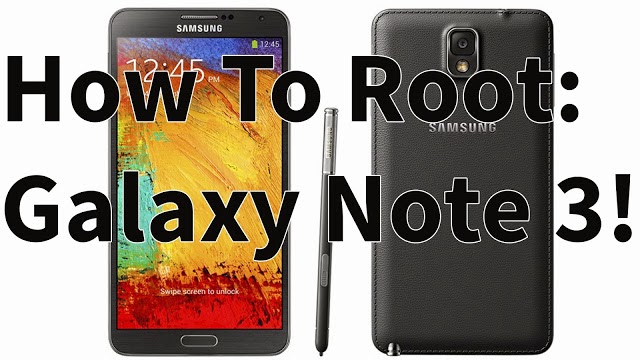
How to Root Galaxy Note 3 Android 4.4.2 KitKat! T-Mobile SM-N900T

Here's a guide on how to root the T-Mobile Galaxy Note 3 SM-N900T running on Android 4.4.2 KitKat. Rooting the Galaxy Note 3 will allow you to do so many more things to your phone. 

You can install custom ROMS like Paranoid Android or CyanogenMod, remove all of Samsung's and T-Mobile's bloatware, and even greatly improve the battery life of your Galaxy Note 3. Rooting your phone unlocks limitless possibilities that you can do to your phone. 

Follow the guide below to root the T-Mobile Galaxy Note 3 SM-N900T running on Android 4.4.2 KitKat.

Note: Backup any important information before proceeding!

1. Make sure that you are on stock Samsung Android 4.4.2 KitKat, if you are not follow this guide first!

2. Enter your phone into "Download Mode". Make sure your phone is unplugged and turned off. Hold the volume down, home center, and power button at the same time. When you feel a vibration let go of the power, but keep holding onto the volume down and home button.

3. Press the volume up to continue and plug in your phone via microUSB.


4. Download Odin3v185.zip, CF-Auto-Root-hlte-hltexx-smn9005.zip, and philz_touch_6.19.3-hlte.tar.zip using the links below.

Download Odin3v185.zip
Download CF-Auto-Root-hlte-hltexx-smn9005.zip
Download philz_touch_6.19.3-hlte.tar.zip

5. Unzip and open Odin3 v1.85. In Odin you should see a yellow highlighted box on the left of the program. If you don't, download and install Samsung USB drivers.

6. Unzip CF-Auto-Root-hlte-hltexx-smn9005.zip. Then in Odin click on "PDA" and locate/select CF-Auto-Root-hlte-hltexx-smn9005.tar.md5. 

7. Click on "Start". This part will take only a few minutes. 

8. Once complete your phone will reboot and it will be rooted, but now we need to install a custom recovery. 

9. Repeat steps 2-3 again. 

10. Unzip philz_touch_6.19.3-hlte.tar.zip. Then in Odin click on "PDA" and locate/select philz_touch_6.19.3-hlte.tar.md5.

11. Again, click on "Start". Once complete your phone will reboot after installing the custom recovery. 

12. You are now done. Your Galaxy Note 3 is both rooted and has a custom recovery installed that is running on Android 4.4.2 KitKat! 

FAQ: 
Q: How do I enter into recovery mode?
A: Make sure your phone is unplugged and turned off. Hold the volume up, home center, and power button at the same time. When you feel a vibration let go of the power, but keep holding onto the volume up and home button.

Credits - XDA

How to Install/Unroot T-Mobile Galaxy Note 3 to Android 4.4.2 KitKat! SM-N900T


Here is a step-by-step guide to show you how to completely unroot or install Android 4.4.2 KitKat on your T-Mobile Galaxy Note 3 SM-N900T. This guide will remove any previous information that you have on your internal storage and restore it like the day your first bought your Galaxy Note 3. 

In this guide we will be using Odin, a software to loading Android 4.4.2 KitKat on the Galaxy Note 3 and the Android 4.4.2 KitKat software. It will only take about 15 minutes to completely finish this guide. Follow the directions below to install/unroot T-Mobile Galaxy Note 3 SM-N900T to Android 4.4.2 KitKat.

NOTE: This will delete everything on your phone! Back it up!

1. Enter your phone into "Download Mode". Make sure your phone is unplugged and turned off. Hold the volume down, home center, and power button at the same time. When you feel a vibration let go of the power, but keep holding onto the volume down and home button.

2. Press the volume up to continue and plug in your phone via microUSB.


3. Download Odin3v185.zip and TMB-N900TUVUCNB4-20140305155920.zip using the links below.

Download Odin3v185.zip
Download TMB-N900TUVUCNB4-20140305155920.zip

4. Unzip and open Odin3 v1.85. In Odin you should see a yellow highlighted box on the left of the program. If you don't, download and install Samsung USB drivers.

5. Unzip TMB-N900TUVUCNB4-20140305155920.zip. Then in Odin click on "PDA" and locate/select N900TUVUCNB4_N900TTMBCNB4_N900TUVUCNB4_HOME.tar.md5. 

6. Click on "Start". This part will take about 10 minutes. 

7. Once complete your phone will automatically reboot and you will be on Android 4.4.2 KitKat. 

FAQ: 
Q: Odin showed "Pass" on the box and my phone rebooted, but it's stuck on the boot up logo. 
A:  Enter into Recovery Mode. First power off your phone then hold the volume up, home center, and power button at the same time. When you feel a vibration let go of the power, but keep holding onto the volume up and home button. Select "wipe data/factory reset" > "Yes". Then "reboot system now". 

Friday, 27 December 2013

Omni Android 4.4.2 KitKat ROM for Nexus 4!

Check out the video below!

Omni ROM for the Nexus 4 that is currently running on the latest Android verison, Android 4.4.2 KitKat is a ROM that is developed by major known developers including Chainfire. You could say this ROM is made from the "cool kids" on the block! 

With a lot of big developers making this ROM, it will eventually have a lot of cool features on this AOSP Omni ROM! Previous versions even had full multitasking with 2 apps running side by side, very cool! This ROM feature hints of what the pull potential Omni has and will have! 

Omni ROM is definitely going to be a very popular and widely available ROM for many devices with a lot of cool features that everyone is going to be talking about!

Download Omni ROM for the Nexus 4 using the links below!
Download Omni Android 4.4.2 KitKat ROM for the Nexus 4
Download Android KitKat Gapps
Download SuperSU - Flash after ROM and Gapps to get root! 

Credits - XDA
-----------------------------------------------------------------------------------------------------------------------------
Need Help With Your Android Device? Follow Me / Add Me / Like Me 
Twitter 
Facebook 
Google Plus
-----------------------------------------------------------------------------------------------------------------------------
Check Out Our YouTube Channel For More Great Guides! 
YouTube and Subscribe
-----------------------------------------------------------------------------------------------------------------------------
Nexus 4 FAQ 
How to Root Nexus 4 
How to Install Custom ROMS on Nexus 4 
Please Check Out The Nexus 4 FAQ Section Before Commenting!
-----------------------------------------------------------------------------------------------------------------------------

Sunday, 22 December 2013

Google Play Edition Android 4.4.2 KitKat ROM for Galaxy S4! [GT-i9505/T-Mobile/AT&T/Canadian]

Check out the video below!

Google Play Edition running on Android 4.4.2 KitKat ROM for the Galaxy S4 GT-i9505, T-Mobile, AT&T, and Canadian variants is a ROM that you need to look into! This ROM has been ported over from the officially released Google Play Edition ROM to the "touchwiz" Galaxy S4 phones. 

Using this ROM you get a full AOSP experience on your Galaxy S4.

I have been following the developement of the ROM for a month or so to see how well it has progressed. My latest experience with the ROM is a very positive one as I have only seen 1 minor bug within settings!

Google Play Edition ROM has everything working, including the camera without any issues at all. Some users have stated that they experience random reboots occasionally, I personally have never experienced that problem, but if you do they recommend you flash a different modem to fix that issue. 

Download Google Play Edition ROM for the Galaxy S4 GT-i9505, T-Mobile, AT&T, and Canadian variants using the links below.

Download Google Play Edition Android 4.4.2 KitKat ROM for Galaxy S4 GT-i9505, T-Mobile, AT&T, and Canadian

Credits - XDA
-----------------------------------------------------------------------------------------------------------------------------
Need Help With Your Android Device? Follow Me / Add Me / Like Me 
Twitter 
Facebook 
Google Plus
-----------------------------------------------------------------------------------------------------------------------------
Check Out Our YouTube Channel For More Great Guides! 
YouTube and Subscribe
-----------------------------------------------------------------------------------------------------------------------------
Galaxy S4 FAQ 
How to Root Galaxy S4 
How to Install Custom ROMS on Galaxy S4 
Please Check Out The Galaxy S4 FAQ Section Before Commenting!
-----------------------------------------------------------------------------------------------------------------------------

Sunday, 15 December 2013

Gummy Android 4.4.2 KitKat ROM for Galaxy S3! [All U.S Variants]

Check out the video below!

Gummy ROM for the Galaxy S3 is a great ROM since it comes running on Android 4.4.2 KitKat without any major bugs to be concerned about! This ROM is one of the best ROMS you can get for the Galaxy S3 right now, especially since it's available for almost every variant including T-Mobile, AT&T, Verizon, Sprint, US Cellular, Metro, and Cricket Galaxy S3s!

Some of my most favorites features that are included in this ROM are: custom toggle actions, option to change the function of the hardware keys, CRT screen off effect, and performance.

Gummy ROM allows you to to overclock your Galaxy S3 all the way up to 1836 MHz if you really feel the need for speed! This will give you super fast speeds for any heavy application your running! Gummy ROM is definitely a great ROM to considered for the Galaxy S3.

Download Gummy ROM for Galaxy S3 using the links below!

Download Gummy Android 4.4.2 KitKat ROM for Galaxy S3 T-Mobile
Download Gummy Android 4.4.2 KitKat ROM for Galaxy S3 AT&T
Download Gummy Android 4.4.2 KitKat ROM for Galaxy S3 Verizon
Download Gummy Android 4.4.2 KitKat ROM for Galaxy S3 Sprint
Download Gummy Android 4.4.2 KitKat ROM for Galaxy S3 US Cellular
Download Gummy Android 4.4.2 KitKat ROM for Galaxy S3 Metro
Download Gummy Android 4.4.2 KitKat ROM for Galaxy S3 Cricket
Download Gapps

Credits - XDA
-----------------------------------------------------------------------------------------------------------------------------
Need Help With Your Android Device? Follow Me / Add Me / Like Me 
Twitter 
Facebook 
Google Plus
-----------------------------------------------------------------------------------------------------------------------------
Check Out Our YouTube Channel For More Great Guides! 
YouTube and Subscribe
-----------------------------------------------------------------------------------------------------------------------------
Galaxy S3 FAQ 
How to Root Galaxy S3 
How to Install Custom ROMS on Galaxy S3 
Please Check Out The Galaxy S3 FAQ Section Before Commenting!
-----------------------------------------------------------------------------------------------------------------------------