sMobile ? "width=device-width,initial-scale=1.0,minimum-scale=1.0,maximum-scale=1.0" : "width=1100"' name='viewport'/> android xda: tmobile
Showing posts with label tmobile. Show all posts

Tuesday, 23 December 2014

Google Play Edition Android 5.0 Lollipop ROM for Galaxy S4! [GT-i9505/T-Mobile/AT&T/Canadian]

Check Out The Video Below!

While Samsung and carriers may take months to update their device to Lollipop, us Galaxy S4 users can easily upgrade to pure Android Lollipop 5.0 with the Google Play Edition ROM. The Google Play Edition ROM is on complete Android stock running on Android 5.0 Lollipop and is a very stable ROM that can easily be used as a daily driver. 

The Google Play Edition ROM for the Galaxy S4 is supported for Galaxy S4 GT-i9505, T-Mobile, AT&T, and Canadian variants. The developer of this ROM has put in a few minor enhancement to help improve this ROM like boot animation options, hostnames, and a few others. 

If you're tired of waiting for Samsung and carriers to update the Galaxy S4 to Lollipop, which will take months to push out, just easily flash this Google Play Edition Android 5.0 Lollipop ROM onto the Galaxy S4 and you'll be all set! 

Download Google Play Edition Android 5.0 Lollipop ROM for Galaxy S4 GT-i9505, T-Mobile, AT&T, and Canadian using the download links below.

Download Google Play Edition Android 5.0 Lollipop ROM for Galaxy S4 GT-i9505, T-Mobile, AT&T, and Canadian
Download Loki ONLY for AT&T Galaxy S4


AT&T Galaxy S4: Flash the Google Play Edition ROM then flash the Loki patch. 

Make sure you update TWRP/CWM Recovery to the latest version or you might run into a bootloop!

Credits - XDA-
----------------------------------------------------------------------------------------------------------------------------
Need Help With Your Android Device? Follow Me / Add Me / Like Me 
Twitter 
Facebook 
Google Plus
-----------------------------------------------------------------------------------------------------------------------------
Check Out Our YouTube Channel For More Great Guides! 
YouTube and Subscribe
-----------------------------------------------------------------------------------------------------------------------------
Galaxy S4 FAQ 
How to Root Galaxy S4 
How to Install Custom ROMS on Galaxy S4 
Please Check Out The Galaxy S4 FAQ Section Before Commenting!
-----------------------------------------------------------------------------------------------------------------------------

Monday, 18 August 2014

How to Root LG G3! [All U.S Variants]


It's finally here! After many people asking where the root method is for the Sprint LG G3 or any other U.S LG G3 variant it finally came out thanks to IOMonster and the team! Root allows you to get "admin" access to your phone. Without being rooted you are extremely limited, even with an Android phone. 

Root will allow you to install custom ROMS like Cyanogenmod, AOKP, Paranoid Android, and many other ROMS. You can also use root apps like Titanium Backup that allows you to backup and restore your app + app data, I use this app every time I get a new phone! 

Follow the simple guide below to root your Sprint LS990 or any other U.S LG G3 variant! 

1. Go into Settings > Security > and check mark "Unknown sources". 

2. Download Stump-v1.0.0.apk to your phone using the link below.

Download Stump-v1.0.0.apk

3. Install "Stump-v1.0.0.apk" by tapping on it. You can install a file manager app from the Play Store to find it. If you downloaded the apk directly to your phone it will be located in your "Download" folder. 

4. Open up the installed Stump app and tap on "Grind". 

5. When it says "Reboot to root", reboot your phone. 

6. Download and install SuperSU from the Play Store using the link below. 

Download SuperSU

7. Open up the SuperSU app and update anything with "Normal" if asked.

8. Congrats, your LG G3 is now completely rooted. Enjoying flashing ROMS, using root apps, and using your LG G3 to its fullest! 

Credits - XDA
-----------------------------------------------------------------------------------------------------------------------------
Need Help With Your Android Device? Follow Me / Add Me / Like Me 
Twitter 
Facebook 
Google Plus
-----------------------------------------------------------------------------------------------------------------------------
Check Out Our YouTube Channel For More Great Guides! 
YouTube and Subscribe
-----------------------------------------------------------------------------------------------------------------------------
Don't Forget Our Weekly Android App Reviews!
Check Them Out, Here!

Wednesday, 30 July 2014

How to Unroot/Unbrick LG G3! [Complete Stock]

Check Out The Video Below!

A tutorial on how to completely unroot the LG G3. This will remove any sign of root including custom ROMS, recovery, or any other type of modding. This will also fix your LG G3 if you soft bricked your phone! 

Sometimes you just need to unroot your phone because you might not have the needs for root features, need to send back your phone to your carrier/manufacture, or for any other reason this unroot guide will get the job done!


This will work with all LG G3 variants including:

  • AT&T D850 LG G3
  • T-Mobile D851 LG G3
  • Sprint LS990 LG G3
  • Verizon VS985 LG G3
  • Korean F400L LG G3
  • Korean F400S LG G3
  • Korean F400K LG G3
  • Open D855 LG G3
  • European D855 LG G3
  • Canadian Bell, Rogers, and Videotron LG G3
This will delete everything off your phone, backup any important information!!

Follow the guide below to unroot the LG G3!


1. Power off your phone. Press and hold the power button and select "Power off" and then "OK" on the LG G3.


2. Press and hold the volume up. Keep holding and plug in a microUSB to your phone. You should now see "Firmware Update", if you don't re-do step 2. 

Note: Make sure the USB side is already plugged into the computer before performing step 2!


3. Open up Device Manager on your computer. 


4. Find "Ports (COM & LPT)", click on the tab on the left to expand it. You should see "LGE Mobile USB Serial Port (COM)".


If you can't find step 4 in Device Manger download and install LG USB driver using the link below first and then look again.


Download LGUnitedMobileDriver_S50MAN311AP22_ML_WHQL_Ver_3.11.3.exe


5. Double click on "LGE Mobile USB Serial Port (COM)" > Port Settings > Advanced > next to "COM Port Number:" choose "COM41". 


6. Click on "OK" and then "OK" again. 


7. Download "Setup_LGFlashTool.zip" using the download link below. 


Download Setup_LGFlashTool.zip


8. Unzip "Setup_LGFlashTool.zip" and install Setup_LGFlashTool_1.8.6.527.exe.


Note: At the last installation step when it asks you to "Run LGFlashTool 1.8.6.527" uncheck it. Then click "Finish".


9. In the "Setup_LGFlashTool" folder there is a file called "MegaLock.dll". Copy this file and replace it in C:\LG\LGFlashTool


Note: The "C:" is your main Windows hard drive.


10. Download the LG G3 stock firmware for your specific LG G3 model using the link below. Make sure you download both the .dll and zip file.


Download LG G3 Stock Firmware (.dll & zipped .TOT)

11. Unzip the stock file and you will see .TOT in the unzipped folder. You now have a .TOT and a .dll file for your LG G3. 


12. Open LGFashTool, this icon should now be on your desktop. If it isn't look in C:\LG\LGFlashTool.


13. Click on "Select Manual Mode". 


14. Click on "..." and choose the .dll that you downloaded in step 10. 


15. Click on "Add" and choose the .TOT stock firmware that we downloaded in step 10 and that we unzipped in step 11. 


16. Now click on "OK".


17. Click on the yellow arrow located at the top left of the program and wait until the middle gray box disappears.


18. You should now see only 1 yellow box that says "READY!!". All the other ports should say "DISABLE". 


19. Quickly unplug your phone and plug it back in. We do this so that LG FlashTool starts the unrooting process. 


You should now see "Waiting for Connection."


20. After 4-5 minutes LG FlashTool will say "PASS!!" and your phone with have a blue screen with "Factory Reset Status 3". 


21. You can now unplug your phone, take out the battery, put it back in, and power on your phone.


Congrats, your phone is now fully unrooted and on complete stock. It is now just like when you first bought the phone, even safe enough to send to your carrier! 


FAQ:


Q: After LG FlashTool said "PASSED" I got stuck on a bootloop. 
A: Wait at least 10 minutes since you just installed a fresh OS it could take some time. After 10 minutes and if your still stuck on a bootloop enter into recovery mode and select "Yes" and "Yes" again. This will do a factory reset and fix the bootloop.

Q: LG FlashTool keeps failing, what am I doing wrong?

A: Make sure your using the included LG USB cable!! Also change USB ports and try this guide on a different computer. 

Q: After this process can I now send this back to my carrier/manufacture?

A: Yes, you are now on complete stock. Root, custom recovery, custom ROM, or any other sign of modding is gone!

Q: Is there a way to unroot the LG G3 on Mac?

A: No there isn't a way to unroot the LG G3 on Mac at this time. 

Credits - XDA

-----------------------------------------------------------------------------------------------------------------------------
Need Help With Your Android Device? Follow Me / Add Me / Like Me 
Twitter 
Facebook 
Google Plus
-----------------------------------------------------------------------------------------------------------------------------
Check Out Our YouTube Channel For More Great Guides! 
YouTube and Subscribe
-----------------------------------------------------------------------------------------------------------------------------
Don't Forget Our Weekly Android App Reviews!
Check Them Out, Here!

Monday, 7 July 2014

Google Play Edition Android 4.4.4 ROM for Galaxy S4! GT-i9505/T-Mobile/AT&T/Verizon/Sprint

Check out the Video Below!

Today we're taking a look at the pure Android Google Play Edition ROM for Galaxy S4 GT-i9505, T-Mobile, AT&T, Verizon, and Sprint variants. This ROM is based off the latest Android version, Android 4.4.4. This ROM is 100% stock, just like a Nexus device so you don't have to deal with Samsung's bloatware and useless features. 

Google Play Edition Android 4.4.4 has everything working including the camera, data, WiFi, and bluetooth. This ROM will give you a nice boost in storage space when comparing it to a Touchwiz based ROM. This ROM also comes rooted with SuperSU! 

Download Google Play Edition Android 4.4.4 ROM for Galaxy S4 GT-i9505, T-Mobile, AT&T, Verizon, and Sprint using the links below!

Download Google Play Edition Android 4.4.4 ROM for Galaxy S4 GT-i9505, AT&T, T-Mobile, & Canadian
Download Google Play Edition Android 4.4.4 ROM for Galaxy S4 Verizon
Download Google Play Edition Android 4.4.4 ROM for Galaxy S4 Sprint
Download Loki-Doki Verizon/AT&T users

Note AT&T/Verizon Users!

This ROM is not compatiable with Safestrap recovery. This will only work with users who have ClockworkMod/TWRP recovery. Also flash Loki-Doki right after the ROM. 


Credits - GT-i9505, Verizon, Sprint
-----------------------------------------------------------------------------------------------------------------------------
Need Help With Your Android Device? Follow Me / Add Me / Like Me 
Twitter 
Facebook 
Google Plus
-----------------------------------------------------------------------------------------------------------------------------
Check Out Our YouTube Channel For More Great Guides! 
YouTube and Subscribe
-----------------------------------------------------------------------------------------------------------------------------
Galaxy S4 FAQ 
How to Root Galaxy S4 
How to Install Custom ROMS on Galaxy S4 
Please Check Out The Galaxy S4 FAQ Section Before Commenting!
-----------------------------------------------------------------------------------------------------------------------------

Wednesday, 18 June 2014

X-Note ROM for Galaxy S5! SM-G900F/SM-900I/SM-G900T

Check out the video below!

X-Note is out for the Galaxy S5 SM-G900F, SM-900I, SM-G900T, SM-G900W8, and other Qualcomm quad-core Galaxy S5s. X-Note is a Touchwiz based ROM that gives you more power with customizing your phone more than ever! 

One of the best features on the X-Note ROM is the 4 way multi-window. Yup, 4 different apps on the same screen! Now you can have a music app, browser, email, and YouTube all on the same screen! On the status bar you a power button and a home button for easy access. 


Dive into the X-Note app to access a whole bunch of features. One of the best options is to theme up Touchwiz to a couple of preset looks, even an HTC look. This ROM also allows you to change the status bar, battery, and battery color! 

Download X-Note ROM for Galaxy S5 SM-G900F, SM-900I, SM-G900T, and SM-G900W8 using the link below!

Download Galaxy S5 SM-G900F, SM-900I, SM-G900T, and SM-G900W8

Credits - XDA
-----------------------------------------------------------------------------------------------------------------------------
Need Help With Your Android Device? Follow Me / Add Me / Like Me 
Twitter 
Facebook 
Google Plus
-----------------------------------------------------------------------------------------------------------------------------
Check Out Our YouTube Channel For More Great Guides! 
YouTube and Subscribe
-----------------------------------------------------------------------------------------------------------------------------
Galaxy S5 FAQ 
How to Root Galaxy S5 
How to Install Custom ROMS on Galaxy S5 
Please Check Out The Galaxy S5 FAQ Section Before Commenting!
-----------------------------------------------------------------------------------------------------------------------------

Wednesday, 7 May 2014

Imperium ROM for Galaxy S4! GT-i9505/T-Mobile/Canadian

Check out the video below!

Imperium ROM for the Galaxy S4 GT-i9505, T-Mobile, and Canadian variants is a Touchwiz based ROM that comes with a nice Aroma Installer and Galaxy S5 features. Aroma Installer gives you a bunch of options to pick and choose from all before you actually even install the ROM so you get the "perfect" ROM. 

This ROM also comes with a nice amount of Galaxy S5 features. S-Health, S-Finder, Galaxy S5 wallpaper, and even the Galaxy S5 launcher which includes the My Magazine feature. The notification area is also similar the Galaxy S5 phones with the circular green toggles. 

Imperium ROM also includes the Google camera and the Touchwiz, getting best of both worlds. Flash player, Wanam Xposed, and the Google Keyboard is all included too! 

Download Imperium ROM for the Galaxy S4 GT-i9505, T-Mobile, and Canadian using the link below!

Download Imperium ROM for the Galaxy S4 GT-i9505, T-Mobile, and Canadian 

Credits - XDA
-----------------------------------------------------------------------------------------------------------------------------
Need Help With Your Android Device? Follow Me / Add Me / Like Me 
Twitter 
Facebook 
Google Plus
-----------------------------------------------------------------------------------------------------------------------------
Check Out Our YouTube Channel For More Great Guides! 
YouTube and Subscribe
-----------------------------------------------------------------------------------------------------------------------------
Galaxy S4 FAQ 
How to Root Galaxy S4 
How to Install Custom ROMS on Galaxy S4 
Please Check Out The Galaxy S4 FAQ Section Before Commenting!
-----------------------------------------------------------------------------------------------------------------------------

Sunday, 4 May 2014

Alliance ROM for Galaxy S5! SM-G900F/SM-900I/SM-G900T

Check out the video below!

Alliance ROM for the Galaxy S5 SM-G900F, SM-900I, SM-G900T, SM-G900W8, and other Qualcomm Galaxy S5 based devices. This ROM is based off of Touchwiz, but help improves the experience and customization of the Galaxy S5. 

Under "AllianceROM" located within the settings app is where all the customization happens. You have options like "Colors" where you can change the colors of text, battery, notification, really just about anything. One of my more favorite features was List Animation. It gives you a wide variety of list animation types to choose from!

Another neat feature that I liked was that you can view your CPU usage right within your notification panel, it's pretty neat! You also got Tw Home Mods that allow you to modify the Touchwiz launcher. You can do things like adding effects all the way to adding a theme to it!

Download Alliance ROM for Galaxy S5 using the link below!
Download Alliance ROM for Galaxy S5

Credits - XDA

-----------------------------------------------------------------------------------------------------------------------------
Need Help With Your Android Device? Follow Me / Add Me / Like Me 
Twitter 
Facebook 
Google Plus
-----------------------------------------------------------------------------------------------------------------------------
Check Out Our YouTube Channel For More Great Guides! 
YouTube and Subscribe
-----------------------------------------------------------------------------------------------------------------------------
Galaxy S4 FAQ 
How to Root Galaxy S5 
How to Install Custom ROMS on Galaxy S5 
Please Check Out The Galaxy S5 FAQ Section Before Commenting!
-----------------------------------------------------------------------------------------------------------------------------

Saturday, 29 March 2014

SlimKat Android 4.4.2 ROM for Galaxy S4! [GT-i9505/U.S Variants]

Check out the video below!

If you're familiar with the ROM SlimBean, then you will most definitely be familiar with the ROM SlimKat. These ROMS are very similar, but SlimKat is simply based off of KitKat instead of Jellybean. This ROM for the Galaxy S4 GT-i9505, T-Mobile, AT&T, Verizon, Sprint, and Canadian variants is a great ROM. 

This ROM is based off a clean AOSP ROM that comes with some nice features including KTweaker to take control of your kernel. You have options to change the voltage, improve performance, battery life, and so much more! SlimKat ROM also comes with a nice two layered pie control to add extra functions, and a 5x6 app drawer. 

The one feature I was surprised about was the new look of multitasking. When holding down the home button a right side panel pops up to show you all the running apps. While this feature isn't revolutionizing it does change up your usual look of the AOSP multitasking feature. 

Be sure to try out SlimKat ROM for Galaxy S4 GT-i9505, T-Mobile, AT&T, Verizon, Sprint, and Canadian variants using the download links below! 

Download SlimKat ROM for Galaxy S4 GT-i9505, T-Mobile & Canadian
Download SlimKat ROM for Galaxy S4 AT&T
Download SlimKat ROM for Galaxy S4 Verizon
Download SlimKat ROM for Galaxy S4 Sprint
Download Gapps
Credits - XDA
-----------------------------------------------------------------------------------------------------------------------------
Need Help With Your Android Device? Follow Me / Add Me / Like Me 
Twitter 
Facebook 
Google Plus
-----------------------------------------------------------------------------------------------------------------------------
Check Out Our YouTube Channel For More Great Guides! 
YouTube and Subscribe
-----------------------------------------------------------------------------------------------------------------------------
Galaxy S4 FAQ 
How to Root Galaxy S4 
How to Install Custom ROMS on Galaxy S4 
Don't Forget To Check Out The Galaxy S4 FAQ Section!
-----------------------------------------------------------------------------------------------------------------------------

Monday, 24 March 2014

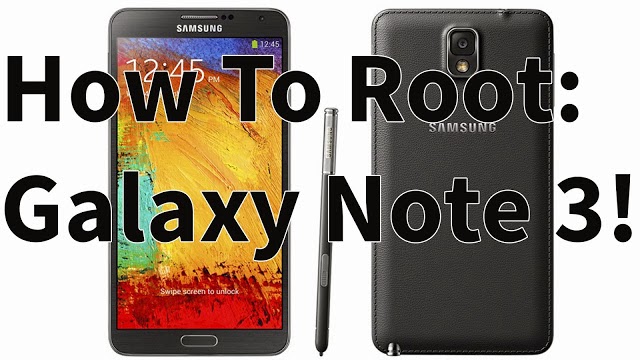
How to Root Galaxy Note 3 Android 4.4.2 KitKat! T-Mobile SM-N900T

Here's a guide on how to root the T-Mobile Galaxy Note 3 SM-N900T running on Android 4.4.2 KitKat. Rooting the Galaxy Note 3 will allow you to do so many more things to your phone. 

You can install custom ROMS like Paranoid Android or CyanogenMod, remove all of Samsung's and T-Mobile's bloatware, and even greatly improve the battery life of your Galaxy Note 3. Rooting your phone unlocks limitless possibilities that you can do to your phone. 

Follow the guide below to root the T-Mobile Galaxy Note 3 SM-N900T running on Android 4.4.2 KitKat.

Note: Backup any important information before proceeding!

1. Make sure that you are on stock Samsung Android 4.4.2 KitKat, if you are not follow this guide first!

2. Enter your phone into "Download Mode". Make sure your phone is unplugged and turned off. Hold the volume down, home center, and power button at the same time. When you feel a vibration let go of the power, but keep holding onto the volume down and home button.

3. Press the volume up to continue and plug in your phone via microUSB.


4. Download Odin3v185.zip, CF-Auto-Root-hlte-hltexx-smn9005.zip, and philz_touch_6.19.3-hlte.tar.zip using the links below.

Download Odin3v185.zip
Download CF-Auto-Root-hlte-hltexx-smn9005.zip
Download philz_touch_6.19.3-hlte.tar.zip

5. Unzip and open Odin3 v1.85. In Odin you should see a yellow highlighted box on the left of the program. If you don't, download and install Samsung USB drivers.

6. Unzip CF-Auto-Root-hlte-hltexx-smn9005.zip. Then in Odin click on "PDA" and locate/select CF-Auto-Root-hlte-hltexx-smn9005.tar.md5. 

7. Click on "Start". This part will take only a few minutes. 

8. Once complete your phone will reboot and it will be rooted, but now we need to install a custom recovery. 

9. Repeat steps 2-3 again. 

10. Unzip philz_touch_6.19.3-hlte.tar.zip. Then in Odin click on "PDA" and locate/select philz_touch_6.19.3-hlte.tar.md5.

11. Again, click on "Start". Once complete your phone will reboot after installing the custom recovery. 

12. You are now done. Your Galaxy Note 3 is both rooted and has a custom recovery installed that is running on Android 4.4.2 KitKat! 

FAQ: 
Q: How do I enter into recovery mode?
A: Make sure your phone is unplugged and turned off. Hold the volume up, home center, and power button at the same time. When you feel a vibration let go of the power, but keep holding onto the volume up and home button.

Credits - XDA

How to Install/Unroot T-Mobile Galaxy Note 3 to Android 4.4.2 KitKat! SM-N900T


Here is a step-by-step guide to show you how to completely unroot or install Android 4.4.2 KitKat on your T-Mobile Galaxy Note 3 SM-N900T. This guide will remove any previous information that you have on your internal storage and restore it like the day your first bought your Galaxy Note 3. 

In this guide we will be using Odin, a software to loading Android 4.4.2 KitKat on the Galaxy Note 3 and the Android 4.4.2 KitKat software. It will only take about 15 minutes to completely finish this guide. Follow the directions below to install/unroot T-Mobile Galaxy Note 3 SM-N900T to Android 4.4.2 KitKat.

NOTE: This will delete everything on your phone! Back it up!

1. Enter your phone into "Download Mode". Make sure your phone is unplugged and turned off. Hold the volume down, home center, and power button at the same time. When you feel a vibration let go of the power, but keep holding onto the volume down and home button.

2. Press the volume up to continue and plug in your phone via microUSB.


3. Download Odin3v185.zip and TMB-N900TUVUCNB4-20140305155920.zip using the links below.

Download Odin3v185.zip
Download TMB-N900TUVUCNB4-20140305155920.zip

4. Unzip and open Odin3 v1.85. In Odin you should see a yellow highlighted box on the left of the program. If you don't, download and install Samsung USB drivers.

5. Unzip TMB-N900TUVUCNB4-20140305155920.zip. Then in Odin click on "PDA" and locate/select N900TUVUCNB4_N900TTMBCNB4_N900TUVUCNB4_HOME.tar.md5. 

6. Click on "Start". This part will take about 10 minutes. 

7. Once complete your phone will automatically reboot and you will be on Android 4.4.2 KitKat. 

FAQ: 
Q: Odin showed "Pass" on the box and my phone rebooted, but it's stuck on the boot up logo. 
A:  Enter into Recovery Mode. First power off your phone then hold the volume up, home center, and power button at the same time. When you feel a vibration let go of the power, but keep holding onto the volume up and home button. Select "wipe data/factory reset" > "Yes". Then "reboot system now".